You can link your Google Analytics account to enrich your Social reports with web data.
Steps to integrate Google Analytics:
Hover over Social and click Social Settings.
Click on Integrations.
Click on Add New.
Click on Google Analytics 4.
Click on the account associated with the Google Analytics account you would like to add (must be a Google Analytics 4 account). Note: You'll see "Cloud Campaign", our social partner's name here.
Click "Continue" to link your Google Analytics 4 account:
Now that your account is linked, it will look something like this:
Click the link displaying "Change Website" to choose the Google Analytics property you'd like to include
Now hit 'Save Changes' at the top of the page and you're ready to add your Google Analytics to your rezora Social reports!
Adding Google Analytics into your report
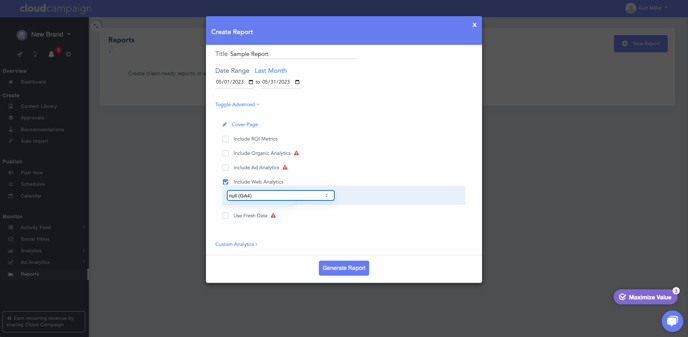
Navigate to the Reports section (Social > Analytics > Reports) and click on New Report
Click on Toggle Advanced and Include Website Analytics
Here you will select the "GA4" option to add Google's analytics to your report